
Stop settling for whatever ChatGPT gives you on the first try. PromptHQ is built for anyone who wants to get better results from AI—by testing different models, refining prompts, and learning what actually works.
This quickstart guide walks you through everything PromptHQ can do, so you can start improving how you use AI today.
Table of Contents
- What is an Evaluation?
- Compare Different Models
- The Results Viewer
- Compare Different Prompts
- Research Mode
- Custom Evaluations
- Share Your Evaluations
- Prompt Doctor
What is an Evaluation?
An Evaluation in PromptHQ is like a supercharged chat session. Instead of sending one message to one AI and hoping for the best, you can send the same prompt to multiple models at once, try different variations of your wording, or even have AI search the web on your behalf—all in a single evaluation.
Before creating an evaluation, you'll pick a type based on what you want to learn:
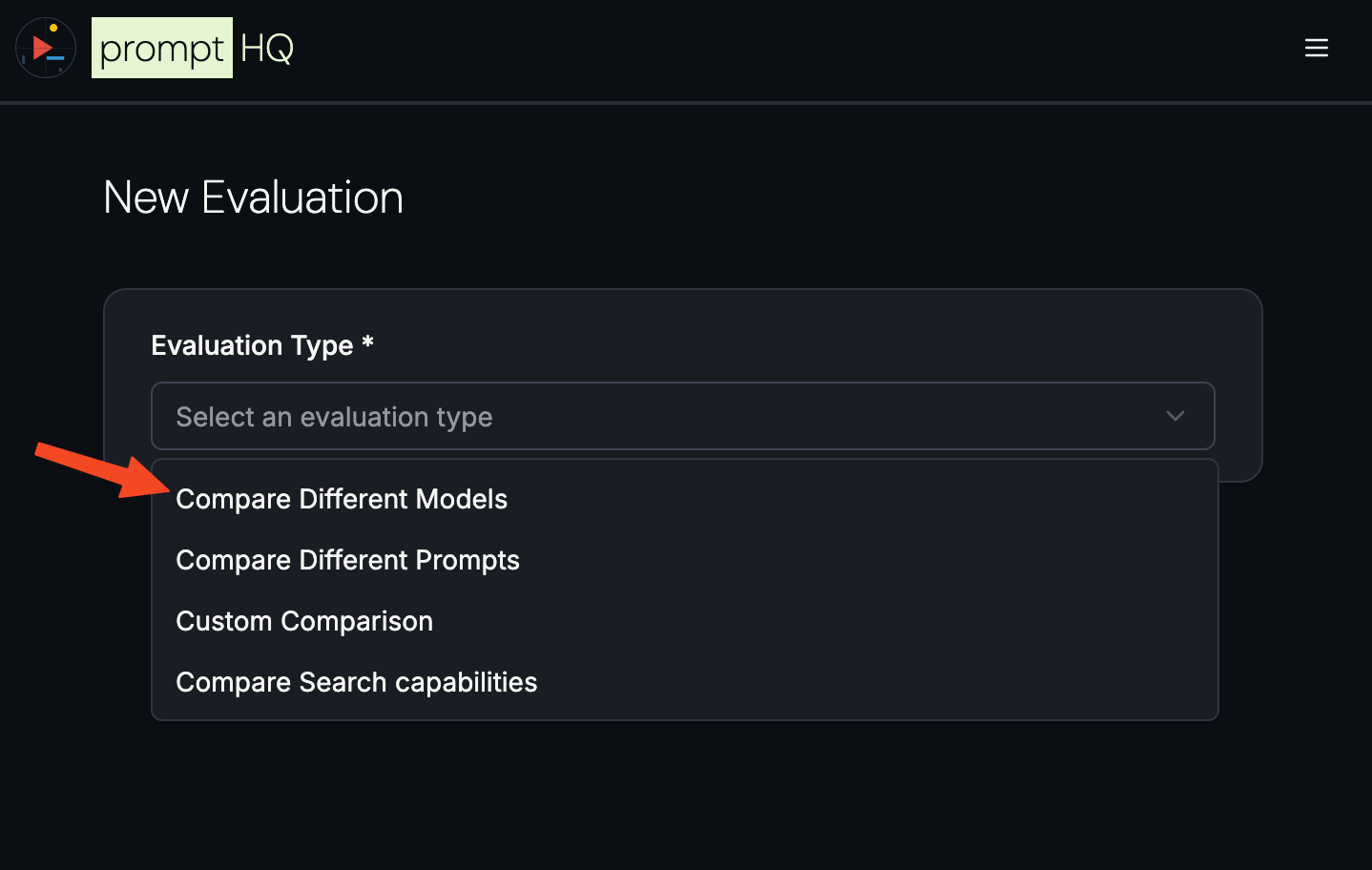
Each type is designed for a specific use case. Let's walk through them.
Compare Different Models: The Fastest Way to Find the Right AI
Not all AI models are created equal. Claude excels at creative writing, GPT 5 cuts through legal documents like butter, Gemini handles images and PDFs beautifully, and Grok stays on top of current events. The only way to know which one works best for your task is to test them head-to-head.
The Compare Different Models evaluation is the simplest way to get started. Paste your prompt once, select up to five models, and hit "Start Evaluation."
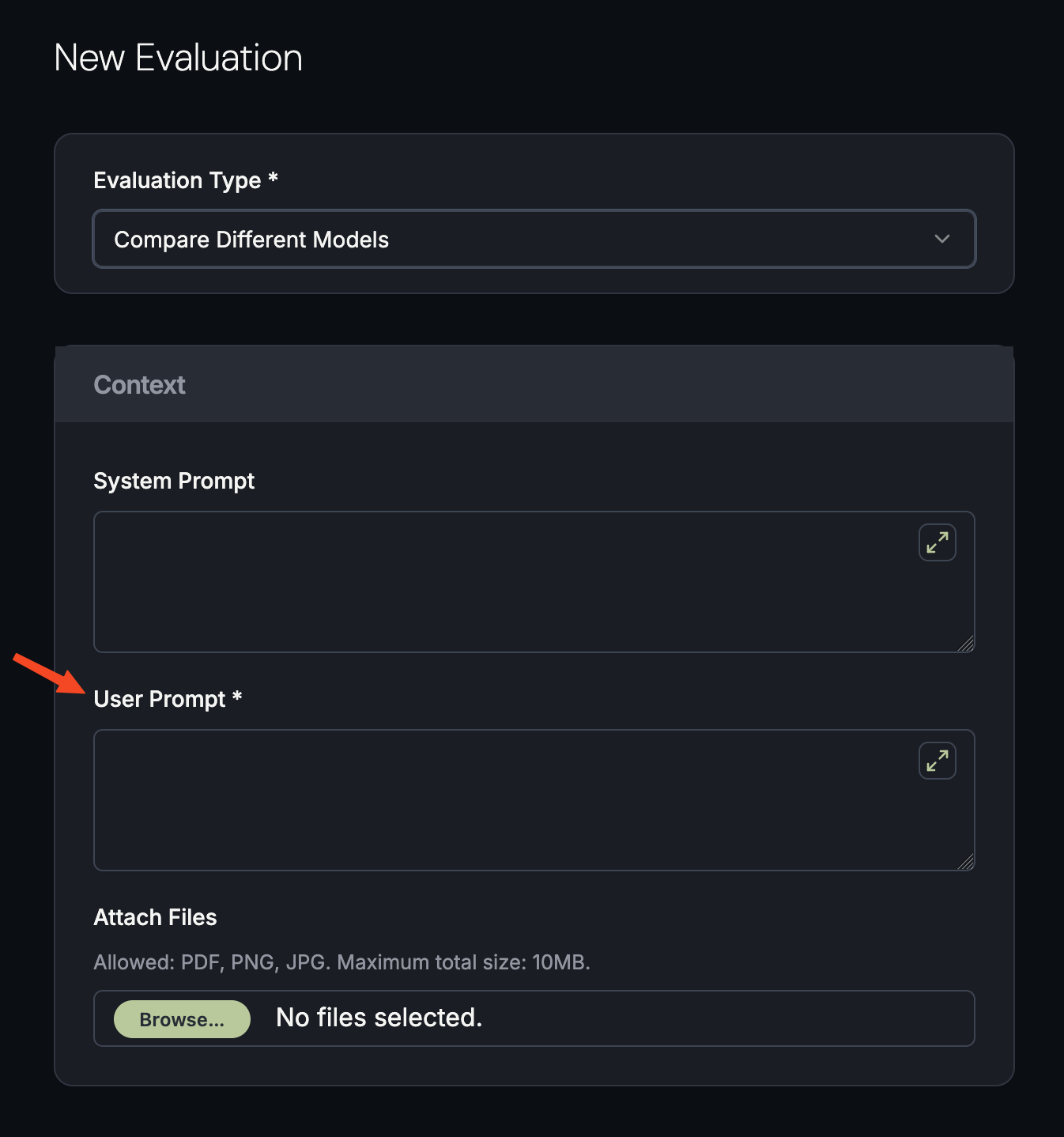
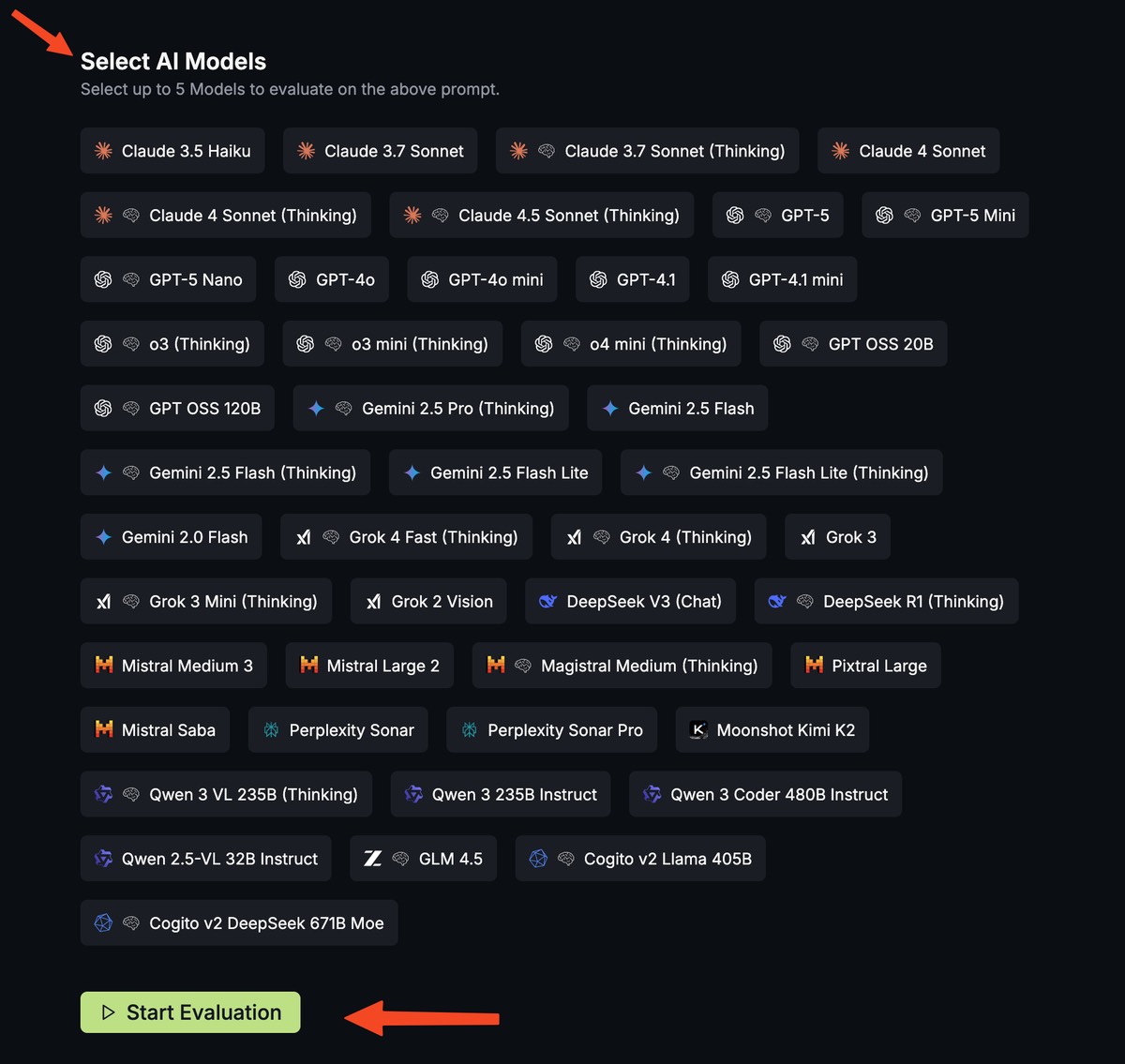
In seconds, you'll see how each model handles your exact request—side by side. You'll be surprised how different the responses can be. Over time, you'll develop an instinct for which AI is best for which job.
The Results Viewer: Built for Comparison
Having responses side-by-side is powerful, but a wall of text can be overwhelming. PromptHQ's results viewer gives you the tools to read and compare comfortably.
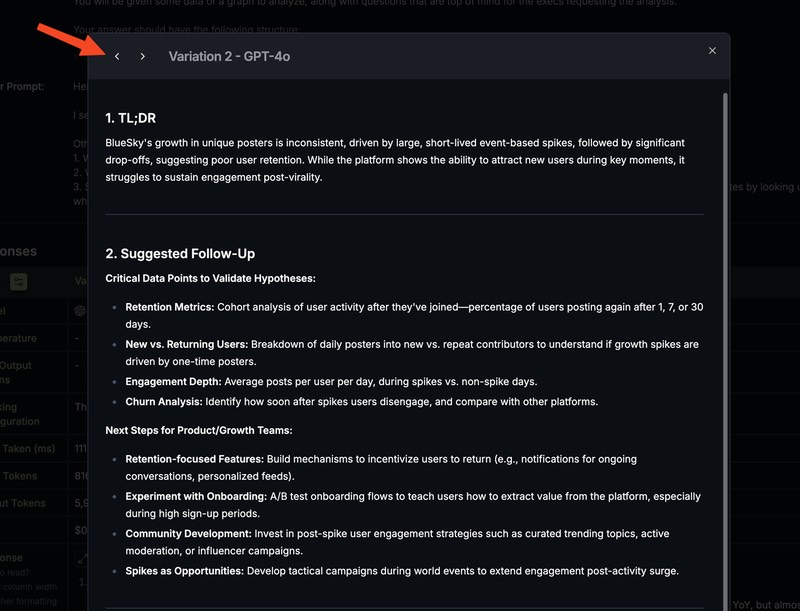
Expand to Full View
Click the Expand button (two diagonal arrows) above any response to open it in a focused, full-screen view. This makes longer responses much easier to read.
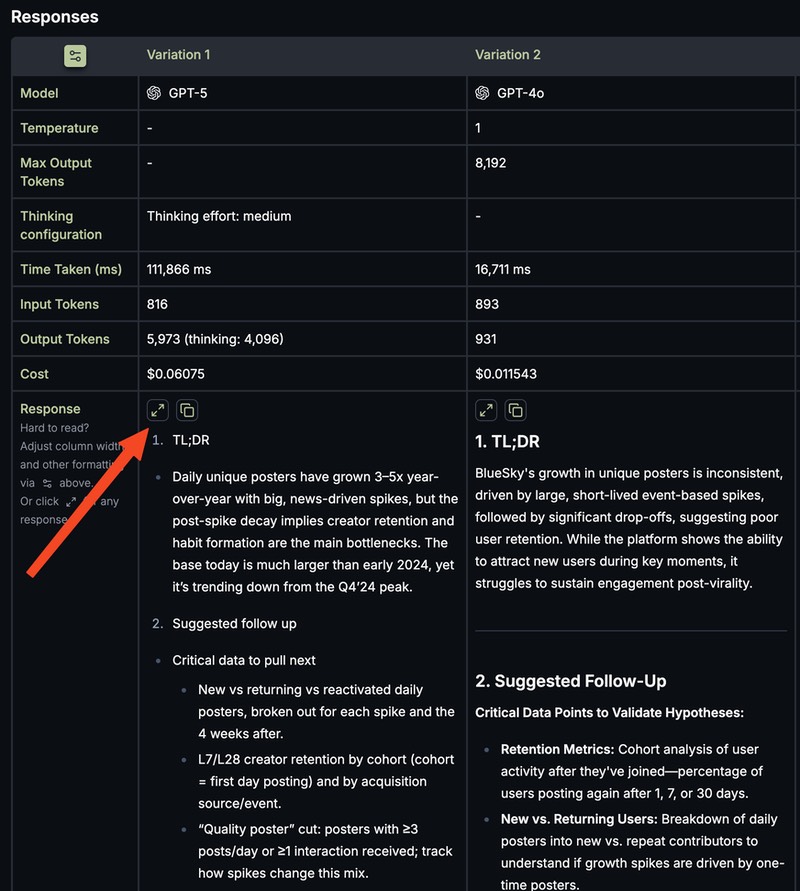
Once expanded, you can flip between responses using the arrow buttons or your keyboard's left/right arrow keys—no need to close and reopen.
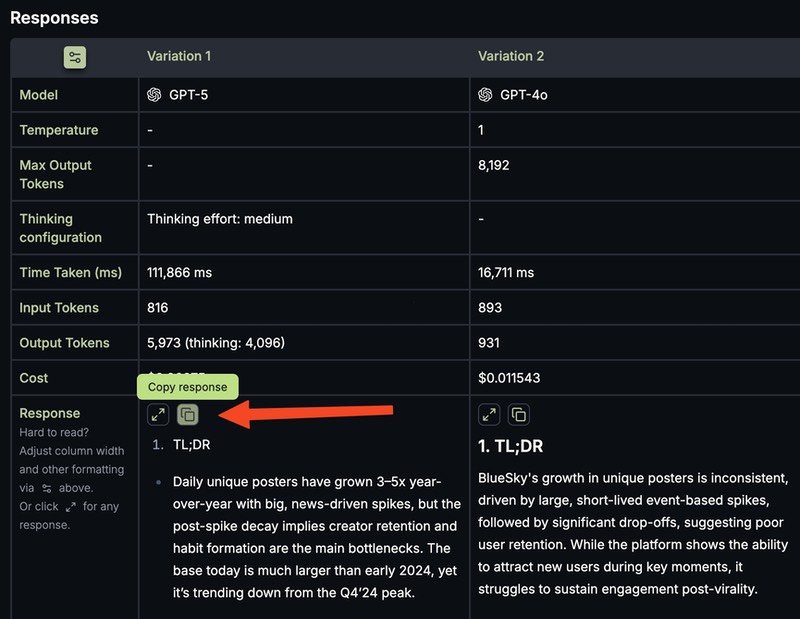
Copy with One Click
Found the perfect response? Click the Copy button to grab it and paste it into Google Docs, Notion, your email—anywhere.
Customize Your View
The Settings Pane gives you fine-grained control over the results table:
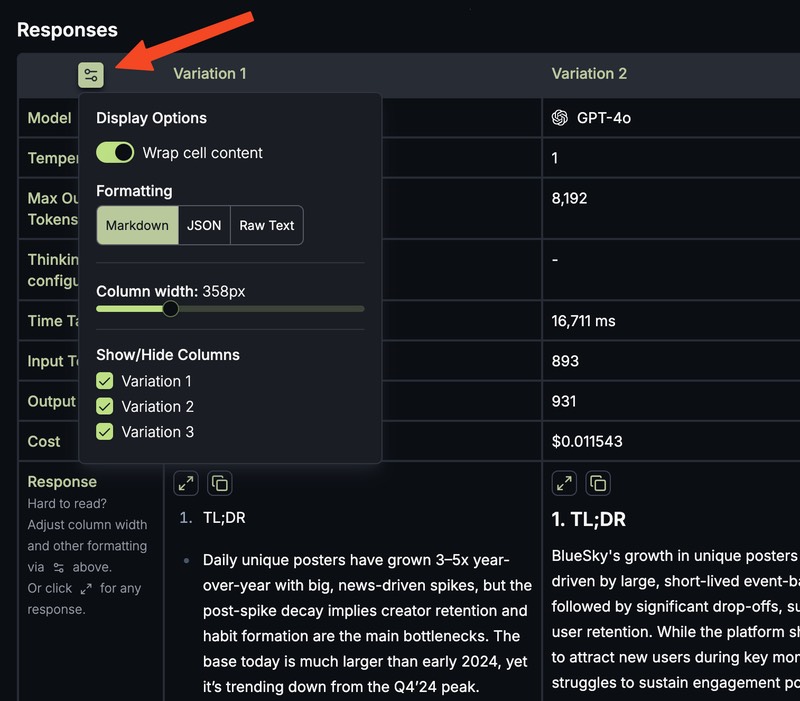
- Hide or show columns to focus on the responses you care about
- Adjust column width for easier reading (scroll horizontally if needed)
- Change the format: Markdown (default), JSON with syntax highlighting and collapsible trees, or raw text
Compare Different Prompts: Master the Art of Asking
The difference between a mediocre AI response and a brilliant one often comes down to how you phrase your request. The Compare Different Prompts evaluation lets you test variations of your prompt to see which wording gets you the result you need.
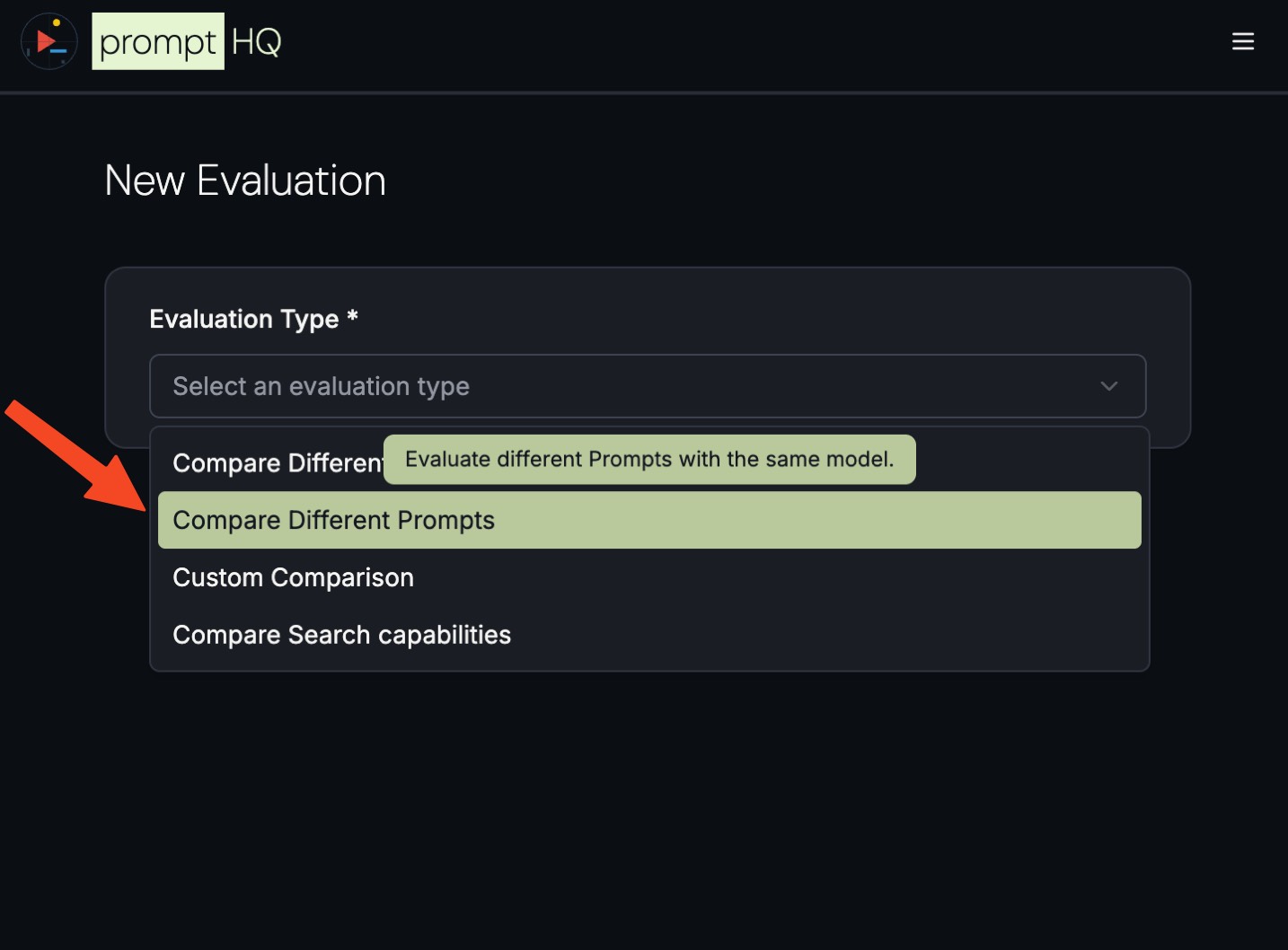
In this mode, you pick one model and enter multiple prompts. You can add up to five variations to test different approaches—maybe one is more detailed, another uses different examples, or a third takes a completely different angle.
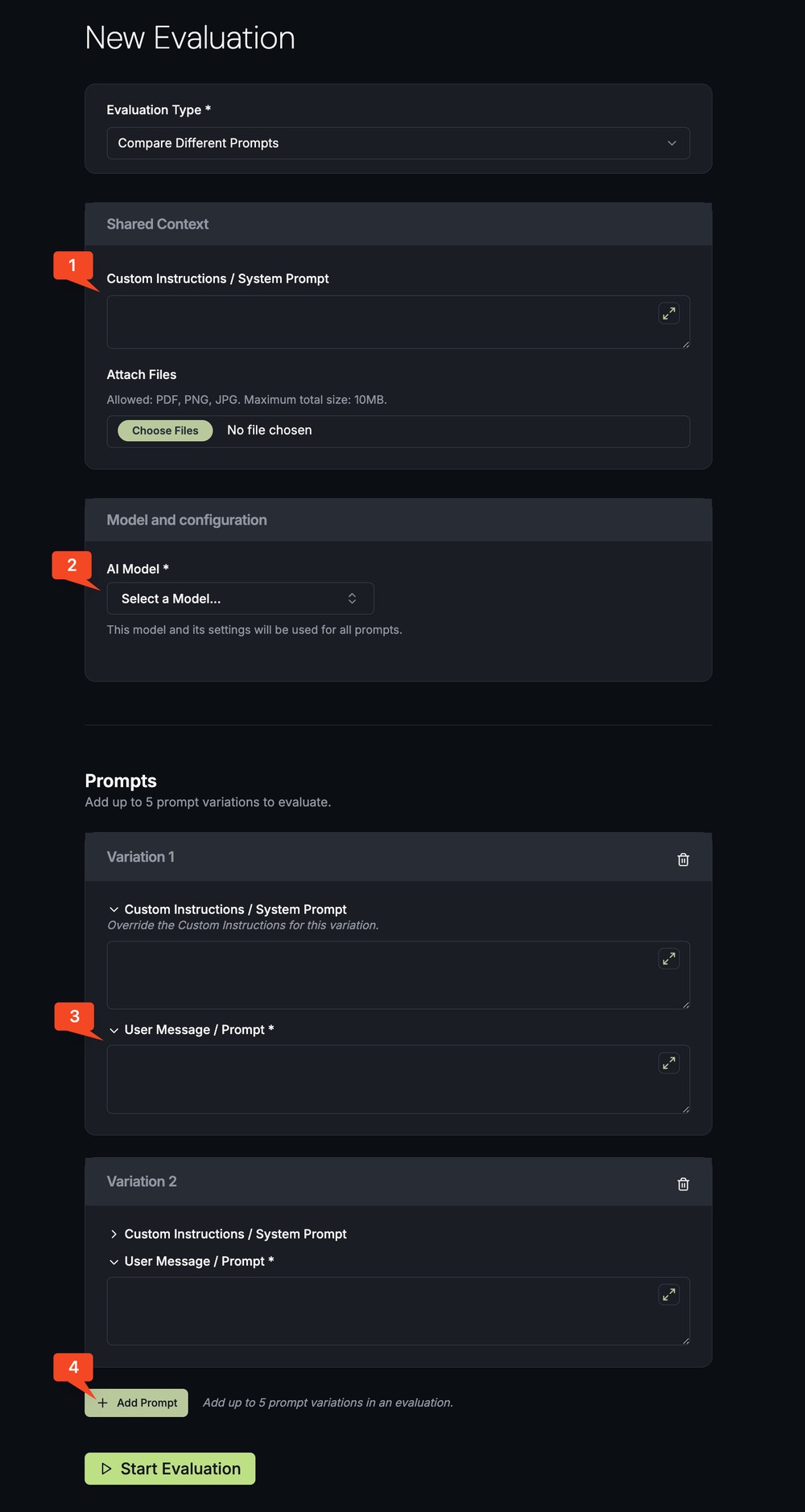
You can also add Custom Instructions (also called a System Prompt) to set the tone, define your expertise level, or specify the output format. Put shared instructions in the "Shared Context" section, or customize them per variation.
Tips for writing better prompts:
- Be specific about the output format you want—sections, tables, bullet points
- Guide the tone: Are you an expert? Should it avoid jargon? How detailed should it be?
- Provide examples: A few good and bad examples go a long way
- Ask the AI to rewrite your prompt: If the output isn't right, tell the AI what's lacking and ask it to generate a better prompt
Research Mode: When You Need the Latest Information
AI models are trained on data from the past. When you need current information—recent news, up-to-date research, or real-time analysis—you need AI that can search the web.
Research Mode makes the AI work like a human researcher. It searches the web, synthesizes information from multiple sources, and returns a rich, well-researched response with citations.
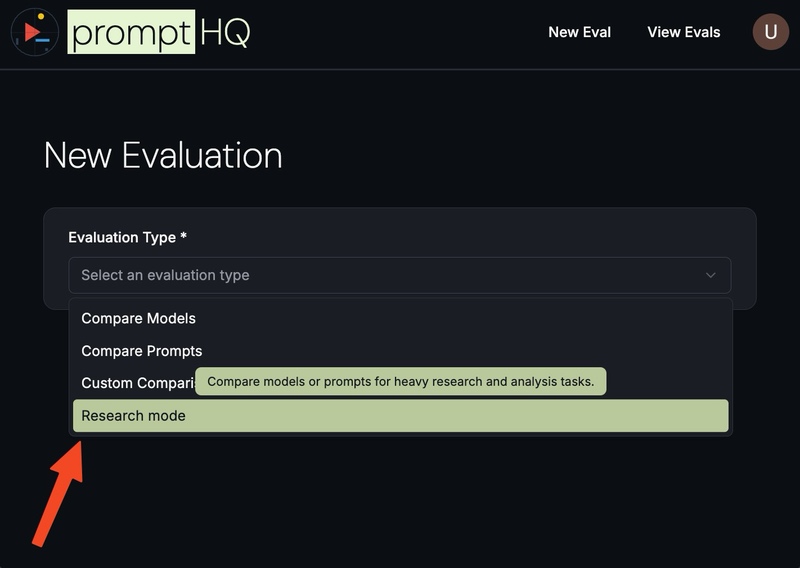
This is one of PromptHQ's most powerful features—more capable than what ChatGPT or Gemini typically make available. Use it for:
- Competitive analysis
- Market research
- Tracking recent developments in your industry
- Any question where freshness matters
Custom Evaluations: Full Control Over Every Parameter
For power users who want to experiment with every knob and dial, Custom evaluations unlock the full potential of AI models.
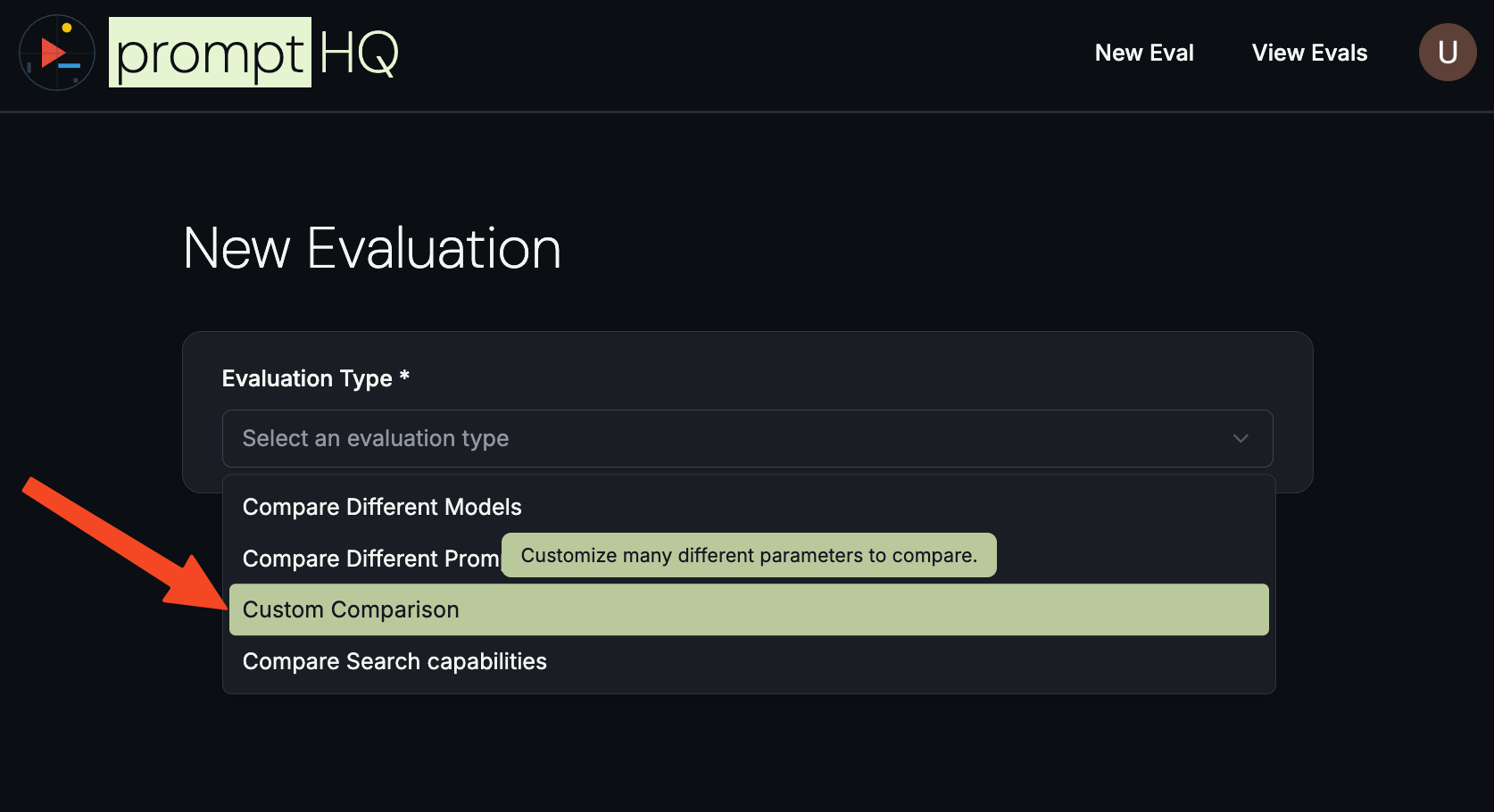
Temperature: The "Mood" Setting
Every AI has a Temperature setting that controls its creativity. At low temperatures (0.2–0.4), responses are precise and consistent—great for summaries, reports, and structured work. At higher temperatures (0.8–1.2), the AI becomes more creative and exploratory—better for brainstorming, writing, and strategy.
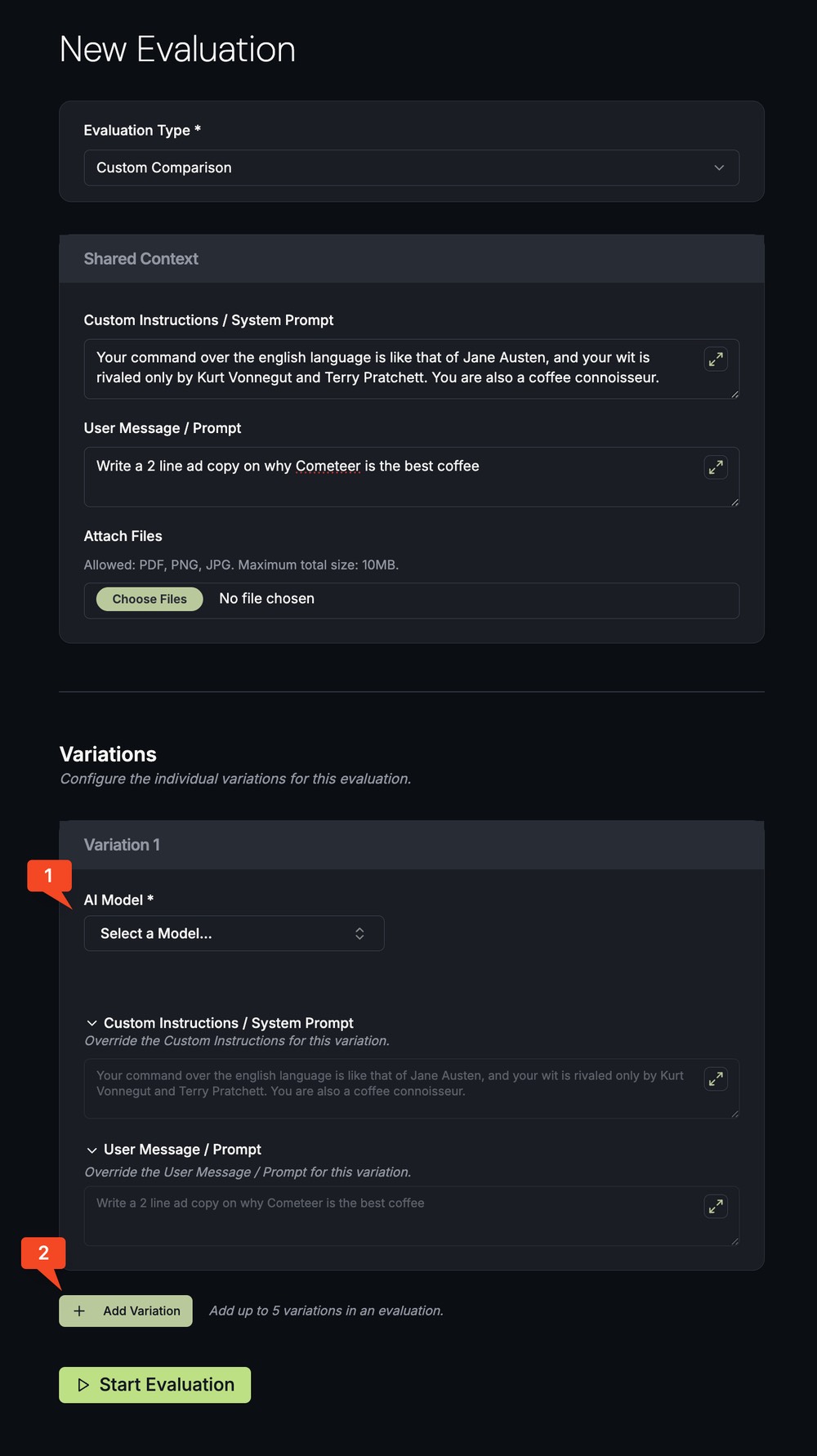
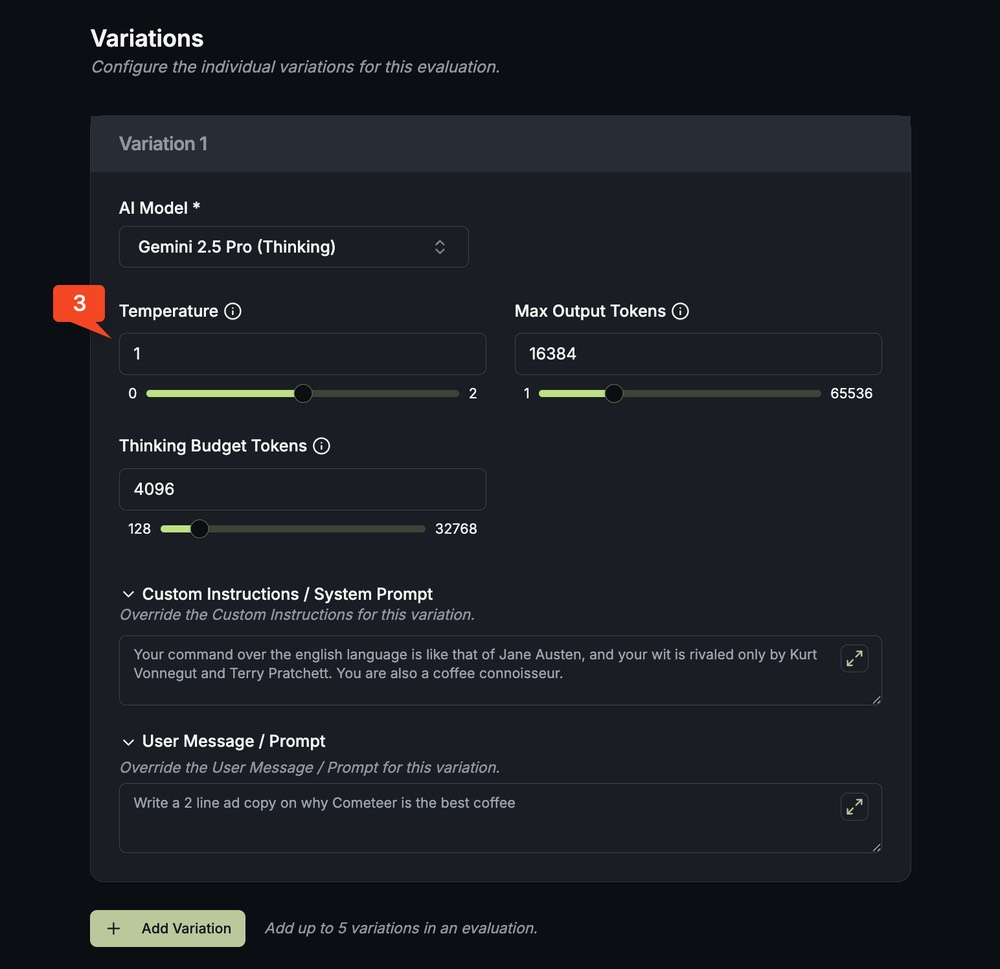
In Custom mode, you can create multiple variations with the same prompt but different temperatures to see exactly how this setting influences the response. Some "thinking models" also let you control how much reasoning they do before responding.
Share Your Evaluations
One of the best ways to improve your AI skills is to learn from others. PromptHQ makes it easy to share your evaluations with friends, colleagues, or your entire team.
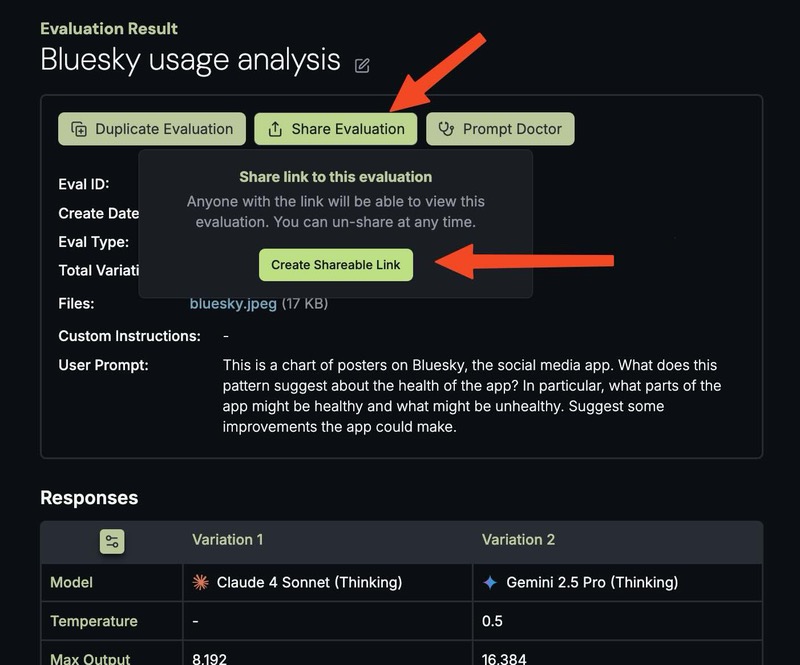
Anyone with the link can view your prompts and results—perfect for:
- Getting feedback on your prompts
- Teaching teammates your approach
- Showing clients your methodology
- Building a shared library of what works
And because we believe in privacy-first design, you can revoke access anytime.
Prompt Doctor: Expert Help When You're Stuck
Sometimes you've tried everything and still can't get the response you need. That's where Prompt Doctor comes in.
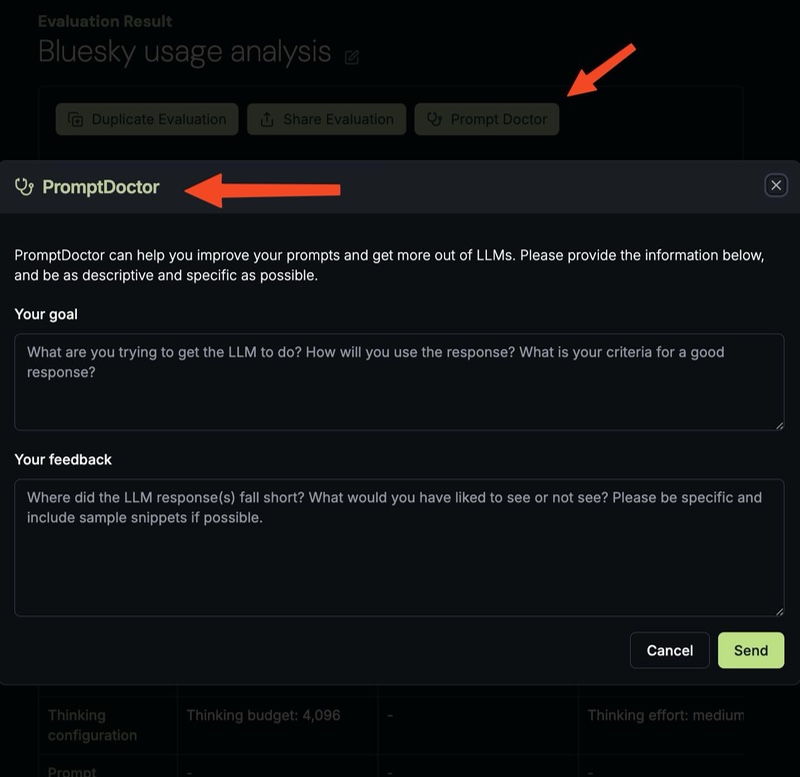
Click the Prompt Doctor button at the top of any evaluation, describe what's not working, and let our AI-powered assistant analyze your prompts and suggest improvements. It's like having an expert prompt engineer on call.
Ready to Start?
The future of work is with AI. If you're not pushing your AI tools to their full potential, you're leaving value on the table.
Create your first evaluation and see the difference that running AI models side-by-side can make. In minutes, you'll be making smarter choices about which models to use, how to phrase your requests, and how to get AI to do exactly what you need.
Questions? We're here to help at help@prompthq.run.